ip
Yoyo User Guide
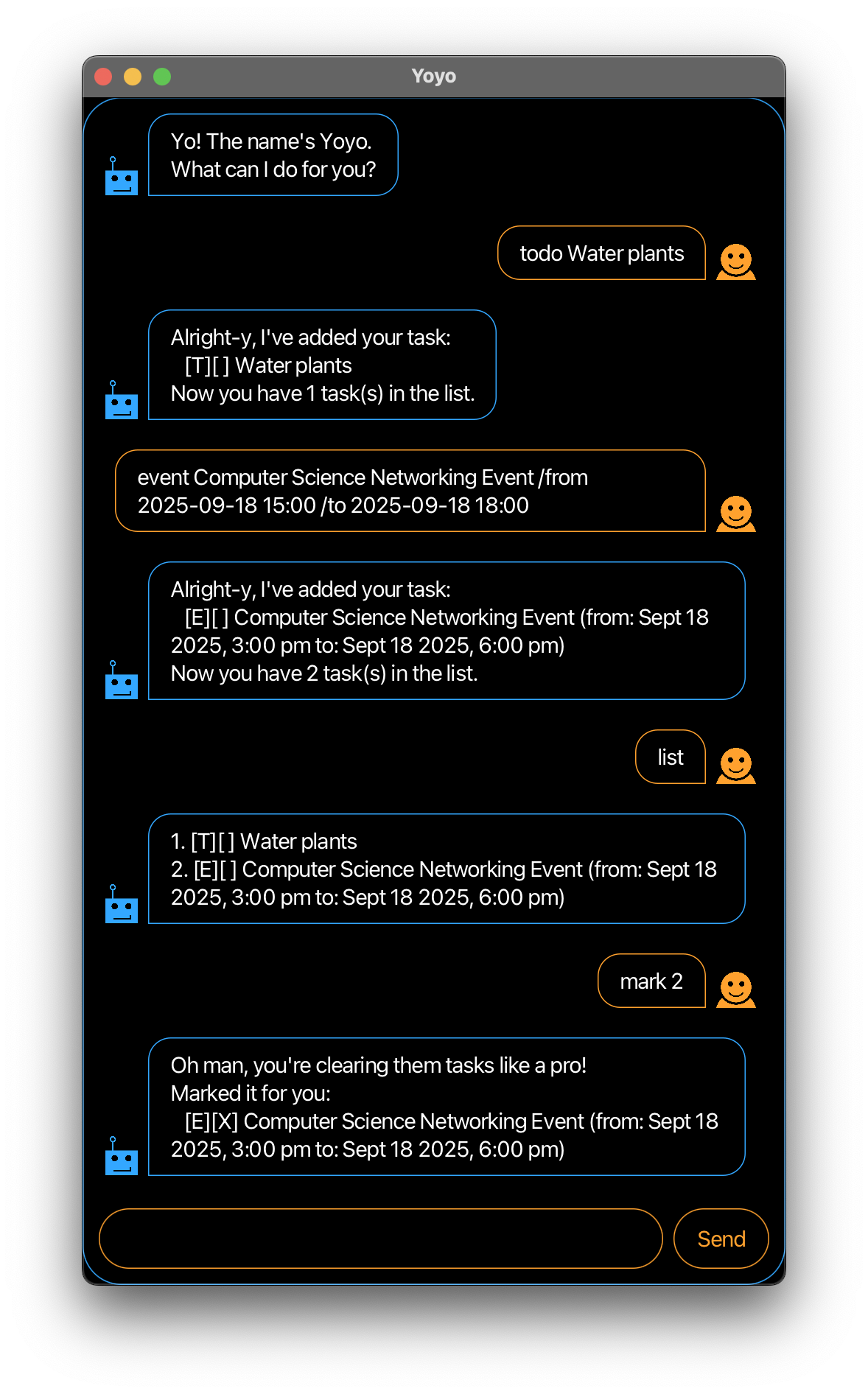
Yoyo is a desktop chat-style app for managing daily tasks optimised for use through command line prompts, while complemented by a Graphical User Interface (GUI). If you prefer typing commands rather than interacting with a GUI, Yoyo can manage your tasks faster than traditional GUI apps.
- Features
Adding to-do: todo
Adds a to-do task to Yoyo.
Format: todo DESCRIPTION
Example:
todo Clean up desk
Yoyo responds and adds a to-do task with description ‘Clean up desk’:
Alright-y, I've added your task:
   [T][] Clean up desk
Now you have 1 task(s) in the list.
Adding deadline: deadline
Adds a deadline task to Yoyo.
Format: deadline DESCRIPTION /by BYDATE
Example:
deadline Complete calculus tutorial sheet /by 2025-10-03 13:00
Yoyo responds and adds a deadline task with description ‘Complete calculus tutorial sheet’ and by-date ‘Oct 03 2025, 1:00pm’:
Alright-y, I've added your task:
   [D][] Complete calculus tutorial sheet (by: Oct 03 2025, 1:00pm)
Now you have 1 task(s) in the list.
Adding event: event
Adds an event task to Yoyo.
Format: event DESCRIPTION /from FROMDATE /to TODATE
Example:
event Career Communication Workshop /from 2025-10-03 13:00
/to 2025-10-03 15:00
Yoyo responds and adds an event task with description ‘Career Communication Workshop’, from-date ‘Oct 03 2025, 1:00pm’ and to-date ‘Oct 03 2025, 3:00pm’:
Alright-y, I've added your task:
   [E][] Career Communication Workshop (from: Oct 03 2025, 1:00pm
   to: Oct 03 2025, 3:00pm)
Now you have 1 task(s) in the list.
Listing all tasks: list
Shows a list of all tasks being tracked.
Format: list
Marking a task as done: mark
Marks the specified task as done.
Format: mark TASKINDEX
TASKINDEX corresponds to the index of the task in the list
from the list command.
Example:
mark 2
Yoyo responds and marks the second task in the list with an X:
Oh man, you're clearing them tasks like a pro!
Marked it for you:
   [T][X] Clean up desk
Marking a task as undone: unmark
Marks the specified task as undone.
Format: unmark TASKINDEX
TASKINDEX corresponds to the index of the task in the list
from the list command).
Example:
unmark 2
Yoyo responds and unmarks the second task in the list by removing the X:
Bruh... Alright fine, I won't judge!
Unmarked it for you:
   [T][] Clean up desk
Deleting a task: delete
Deletes the specified task from Yoyo.
Format: delete TASKINDEX
TASKINDEX corresponds to the index of the task in the list
from the list command).
Example:
delete 2
Yoyo responds and deletes the second task in the list:
Gotcha, it's gone! I've deleted this task:
   [T][] Clean up desk
Now you have 1 task(s) in the list.
Locating tasks by name: find
Finds tasks with names that match the given keyword exactly.
Format: find KEYWORD
- The search is case-sensitive. eg.
workshopwill not matchWorkshop - Only task names that match
KEYWORDexactly will be located.
Example:
find computing event
Yoyo responds with the tasks in its list that have a name containing the keyword ‘computing event’:
1. [E][] NUS hackathon computing event (from: Oct 03 2025, 1:00pm
   to: Oct 03 2025, 3:00pm)
2. [E][X} Networking computing event (from: Nov 01 2025, 4:00pm
   to: Nov 01 2025, 8:00pm)
Exiting the program: bye
Exits the program.
Format: bye